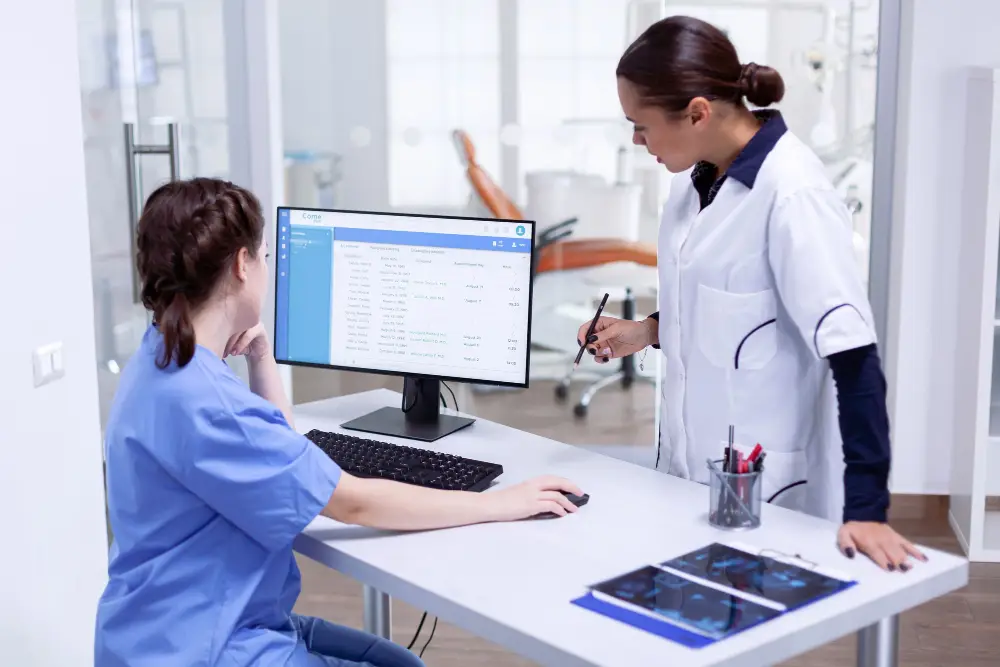
A patient portal is a secure website or app that gives you online access to your personal health information. Hospitals, clinics, and doctors’ offices use portals so patients can view records, book appointments, and message their care team at any time.
If your doctor has invited you to sign up, here is what a patient portal is and why it’s worth using.
Patient Portal Definition
A patient portal is a secure online gateway, linked to your provider’s electronic health record (EHR), where you can see and manage parts of your own medical information. You log in with a username and password, and often a one-time code for extra security.
Common Patient Portal Features
- Test results: view lab and imaging results, often soon after they are ready.
- Appointments: book, change, or cancel visits online.
- Secure messaging: send non-urgent questions to your doctor or nurse.
- Prescription refills: request repeat prescriptions.
- Visit summaries: read notes and instructions from past appointments.
- Medication and allergy lists: check that your records are correct.
- Bills and payments: view statements and pay online.
- Forms: complete check-in and health history forms before you arrive.
- Video visits: some portals link to telehealth appointments.
Features vary between providers, so you may not see every option.
Benefits for Patients
- Convenience: handle many tasks any time, without phone calls.
- Faster answers: get results and replies without waiting for a callback.
- Better understanding: review your doctor’s notes and instructions at home.
- Fewer errors: spot mistakes in medicine or allergy lists.
- Family care: with permission, manage care for children or older parents.
Benefits for Healthcare Providers
Portals reduce phone calls and paperwork, help patients arrive prepared, and make it easier to share instructions after a visit. Engaged patients often follow treatment plans more closely.
Are Patient Portals Safe?
Most portals use encryption and secure log-ins to protect your data. You can keep your information safe by:
- Using a strong, unique password
- Turning on two-step verification
- Logging out on shared computers
- Never sharing your log-in details
- Using only the official link or app from your provider
Limitations to Keep in Mind
- Portals are not for emergencies. Call emergency services if you need urgent help.
- Some results may appear before your doctor has explained them. If a result worries you, contact your provider.
- If you see several providers, you may need more than one portal.
Read more in our complete guide: everything you need to know about patient portals.
Patient Portal vs Personal Health Record
These two terms are often confused:
- Patient portal: run by your doctor, clinic, or hospital. It shows information from their records, and they control what appears.
- Personal health record (PHR): managed by you. You can collect information from several providers, add your own notes, and track things like blood pressure or exercise.
Some health apps can pull data from several patient portals into one personal record, making it easier to see your full health picture.
Who Uses Patient Portals?
Patient portals are useful for almost everyone, but they are especially helpful for:
- People with long-term conditions such as diabetes, heart disease, or kidney disease, who have frequent tests and appointments
- Parents managing children’s vaccinations and checkups
- Caregivers helping older parents with appointments and medicines
- Busy professionals who find it hard to call during office hours
- People who travel and need access to records while away
How to Read Your Test Results in a Portal
Lab results in a portal usually include:
- The test name, such as haemoglobin, creatinine, or cholesterol
- Your result, shown as a number
- The reference range, the typical values for healthy people
- A flag, such as H (high) or L (low), when a result is outside the range
A result slightly outside the range is not always a problem. Ranges vary by laboratory, age, and sex, and your doctor interprets results alongside your symptoms and history. If a result worries you, send a message or wait for your doctor’s explanation before searching online.
Making the Most of Secure Messaging
Messaging your care team can save time when you use it well:
- Write one clear question per message.
- Include key details: your symptom, how long you’ve had it, and any medicines you take.
- Use it for non-urgent issues only, such as medicine questions, follow-up after a visit, or requests for letters.
- Allow time for a reply, usually one to two working days.
- Call or seek urgent care for new chest pain, breathing problems, or anything that can’t wait.
Common Patient Portal Systems
Many hospitals and clinics use portals built on large electronic health record systems. In the US, you may see names such as MyChart, which is used by many health systems. In India, many private hospital chains offer their own apps for booking appointments, viewing reports, and paying bills, and the government’s ABHA health ID allows people to link and share health records digitally.
The name and features differ between providers, but the basic functions are similar.
Accessibility Features to Look For
A good patient portal should be easy for everyone to use:
- Mobile app as well as website access
- Adjustable text size and screen reader support
- Options in more than one language
- Simple log-in with secure verification
- Proxy access for caregivers and parents
- A help line or support chat for technical problems
If you struggle to use your portal, ask your clinic for help. Many have staff who can walk you through it.
The Future of Patient Portals
Patient portals continue to add new features, including:
- Video consultations built into the portal
- Easier sharing of records between hospitals
- Reminders for screenings and vaccinations
- Links with wearable devices such as fitness trackers and glucose monitors
- Online check-in and digital waiting rooms
These tools aim to make healthcare more convenient and give patients more control over their information.
Frequently Asked Questions
What information can I see in a patient portal?
Most portals show test results, appointment details, visit summaries, medicine lists, allergies, immunisations, and bills. Exactly what you see depends on your provider.
Can I download my medical records from a patient portal?
Many portals let you download or print summaries and test results. For your complete record, you may need to request a copy from the clinic.
Is a patient portal the same as an electronic health record?
No. The EHR is the full record your provider keeps. The portal shows you selected parts of it.
Do patient portals cost money?
Patient portals are usually free for patients.
Can I access my child’s patient portal?
Many providers allow parents or caregivers to get proxy access. Rules for teenagers vary, so ask your provider.
Disclaimer: This article is for general information only and is not a substitute for professional medical advice. Always consult a qualified doctor about your health.